
Excel data analysis that answers real business questions
Our Excel data analysis service turns your sales, expense, customer and HR records into clear answers. Because the work stays in Excel, your team can open, check and reuse it without new software.
- Free consultation
- Open 24/7
- Across Kenya
Types of Excel data analysis we do
We start with the question you need answered. Then we choose the analysis that answers it best.
- Sales and revenue analysis
See which products, regions and customers drive revenue, and then track how that changes each month.
- Expense analysis
Break spending down by category, branch or supplier, so cost increases become easy to spot.
- Customer analysis
Understand who buys, how often and how much. For example, we can separate new, repeat and lapsed customers.
- Inventory analysis
Track stock levels and movement, and identify slow-moving items before they tie up cash.
- Employee / HR data analysis
Summarise headcount, leave, overtime and turnover, so each department can see its own picture.
- Financial and operational analysis
Compare budget with actuals, and also connect daily operations to financial results.
- KPI calculations
We define each KPI clearly, then calculate it the same way every period.
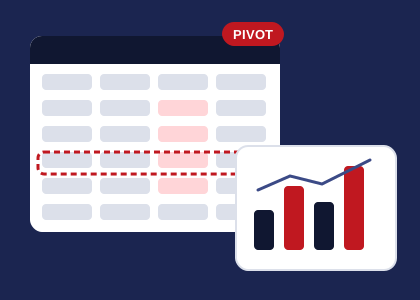
- Pivot tables and advanced Excel reports
Pivot tables, lookups and dynamic formulas mean you can filter the results yourself, rather than ask for a new report.
Why choose Excel for data analysis
Most businesses in Kenya already run on Excel. So analysis built in Excel is easy to share, easy to check and easy to update. In addition, there is no licence to buy and no new system to learn.
We use features such as PivotTables, structured tables and Power Query. As a result, the workbook stays tidy, and the numbers can be traced back to the source.
When Excel data analysis helps
- You have the data but no time to study it
- Management keeps asking the same questions every month
- Different people get different answers from the same file
- You want insight without moving to a new system
How we deliver Excel data analysis
- Define the question
Initially, we agree on what you need to know.
- Prepare the data
Then your files are cleaned and combined.
- Analyse
After that, we calculate, compare and summarise.
- Explain
Finally, you get the workbook and a plain-language summary.
What you receive
- An organised Excel workbook with clear tabs
- Pivot tables and charts you can filter yourself
- KPI definitions written in plain language
- A short summary of the main findings
Questions about Excel data analysis
Which version of Excel do I need?
Any recent version of Microsoft Excel works. If you use an older version, tell us, and then we will avoid features it cannot open.
Can you analyse data from our accounting or POS system?
Yes. Most systems export to Excel or CSV, so we can work from those exports.
Will my team be able to update the analysis?
Yes. We build workbooks so new data can be added, and we explain how to refresh them.
Do you offer Power BI as well?
Yes. When you need interactive dashboards, we can take the same analysis into Power BI.
Ready to talk about Excel Data Analysis?
Get a free consultation. We are open 24/7.
