
Power BI dashboards your managers can actually use
Streamco designs Power BI dashboards that bring your key numbers into one interactive view. Managers can filter by period, branch or product, so they get answers in seconds instead of waiting for a report.
- Free consultation
- Open 24/7
- Across Kenya
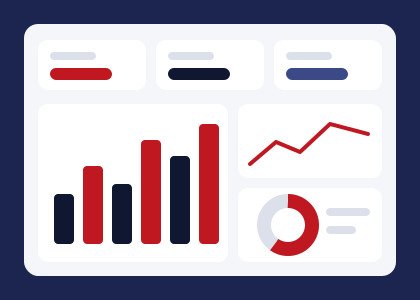
Power BI dashboards we build
Each dashboard is built around the decisions its users make. So we start with the people, then the data.
- Interactive business dashboards
One overview of the whole business. Then you can drill down into the details behind every number.
- Sales dashboards
Revenue, targets and top products by region or salesperson, updated whenever new data arrives.
- Financial dashboards
Income, expenses and margins compared with budget, so management sees the gaps at once.
- Operations dashboards
Track orders, turnaround times and service levels, and then spot bottlenecks early.
- HR dashboards
Headcount, attendance, leave and turnover by department, as well as trends over time.
- Inventory dashboards
Stock on hand and reorder points in one view, so slow-moving items stand out early.
- KPI and performance dashboards
Your key indicators with targets and trends. Status colours also show what needs attention.
- Management reporting dashboards
A board-ready summary, instead of long monthly slide decks.
Why businesses move to Power BI dashboards
Static reports answer yesterday's questions. In contrast, a dashboard lets people explore. For example, a manager can click on a region and see which products are behind target.
Microsoft Power BI also connects to Excel, CSV files and many business systems. Because of that, your dashboards can refresh from the same files you already use, so nobody has to rebuild them by hand.
Signs you are ready for a dashboard
- Monthly reports take days to prepare
- Managers ask for the same figures in different cuts
- Data sits in several Excel files that never come together
- You want to track KPIs between meetings, not only at month end
How we deliver Power BI dashboards
- Plan
Initially, we agree on users, questions and KPIs.
- Model
Then we clean and connect your data.
- Design
After that, we build and test the dashboard pages.
- Hand over
Finally, we set up refresh and train your team.
What you receive
- A published Power BI report with clear navigation
- Clean data model that is easy to extend
- Refresh workflow so numbers stay current
- A short walkthrough for your team
Questions about Power BI dashboards
Do I need a Power BI licence?
Power BI Desktop is free to build in. However, sharing dashboards online usually needs Power BI Pro licences, and we will advise on the right option.
Can dashboards update automatically?
Yes. We set up scheduled refresh from your source files or systems, so the numbers stay current.
Can I see the dashboard on my phone?
Yes. Power BI has a mobile app, and we can also design a phone-friendly layout.
What if my data is messy?
That is common, so we clean and prepare the data first, so the dashboard shows reliable numbers.
Ready to talk about Power BI Dashboards?
Get a free consultation. We are open 24/7.
